
 Form Builder
 OTP Verification Forms
 PDF Forms
 HIPAA Forms
 Lead Generation
 Workflows
 Salesforce forms
 Conditional Logic
 Collaboration
 KYC Forms
 Form Embeds
 Data Residency
 Notifications
 Multi Step Form Builder
Create HIPAA Compliant Forms for your WordPress website
MakeForms lets you build and embed HIPAA compliant forms on your WordPress websites without storing the patient data in WordPress database.
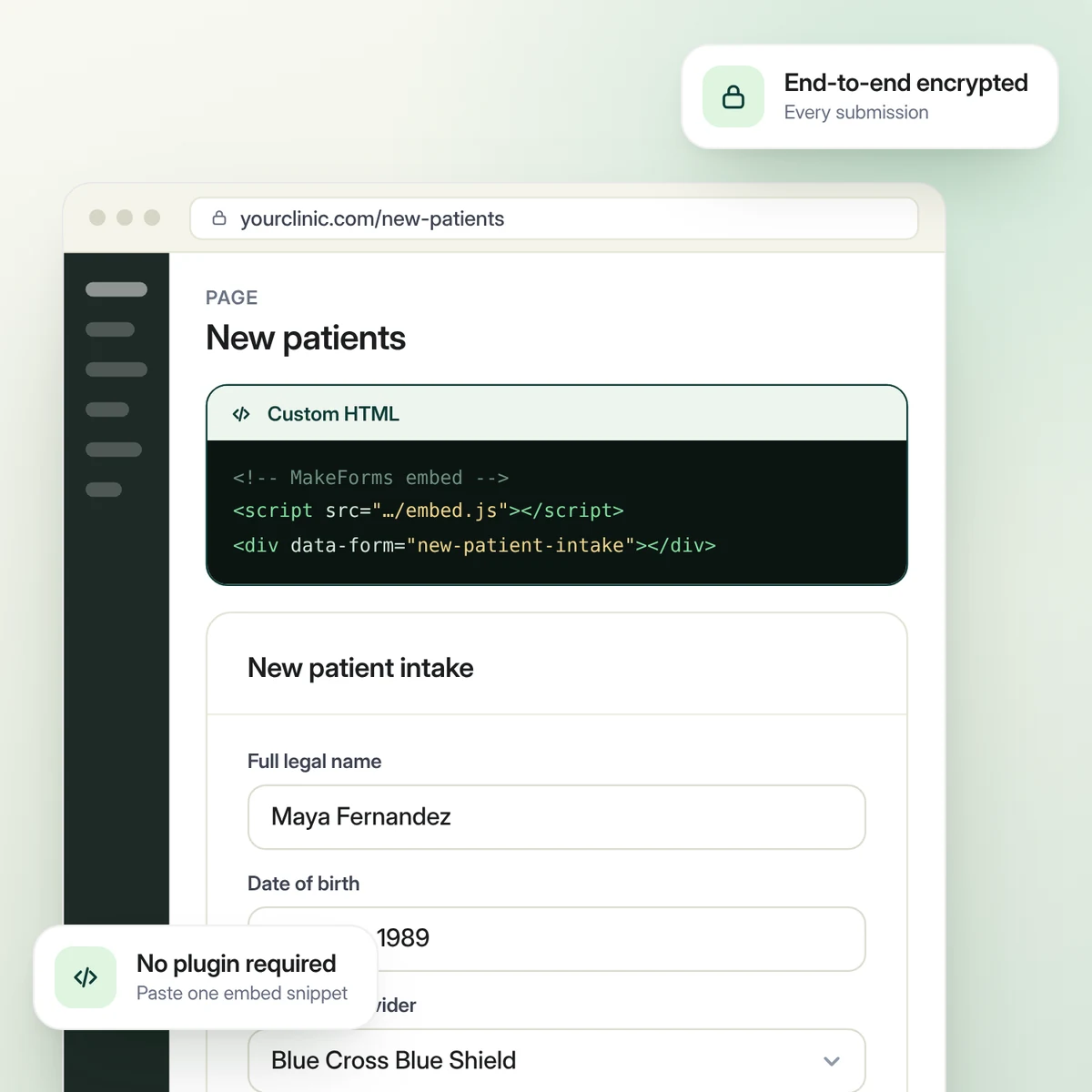
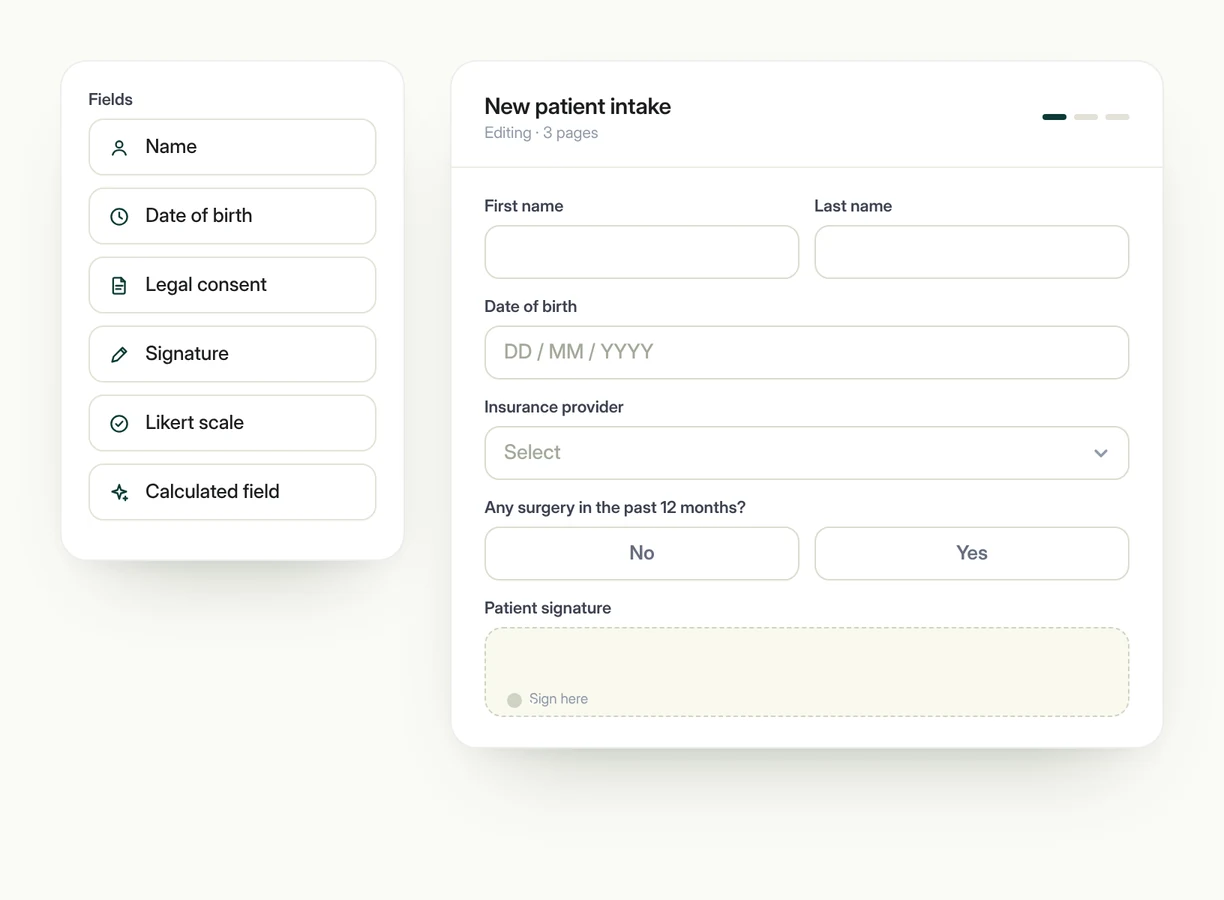
Drag-drop fields and build your form. Then generate embed code in one click, and embed the form on your WordPress website. After that every patient data and uploaded files go to encrypted, hipaa compliant storage instead of your WordPress database and media library.
- No plugin required
- Works with any Wordpress website
- Works with every page builder









Add HIPAA compliant WordPress forms to your site
With MakeForms, create forms that ask for health information and embed them on your WordPress site:
Patient intake and registration forms
Consent forms with e-signature
Appointment requests
Insurance and billing details
Contact forms where patients describe symptoms


Describe the form you need, and MakeForms builds it with AI. Or start from scratch with calculated fields, Drawing fields, Likert scales, a scrollable legal field, esignature field, and multilingual forms.
Why are WordPress form plugins not HIPAA compliant
Almost every form builder plugin was built for contact forms, not patient data.

WordPress form plugins save all the form submissions in WordPress database, next to your post and comments data.

That puts your patient's data at risk, as most web hosting companies do not sign a BAA.

Form data stored in WordPress is not end to end encrypted.

Notification emails configured by WordPress often carry the full submission details.
MakeForms handles patient data with utmost care. You can mark certain fields as sensitive and notification emails will have the sensitive masked for people who do not have sensitive-data access.
Keep form data off your WordPress server
Your WordPress site shows the form. MakeForms offers the features that make your WordPress forms HIPAA compliant
End-to-end encryption on submissions
SOC 2 Type 2, ISO 27001 and ISO 27701 certified
Mark field as sensitive and restrict its access


Need the data somewhere in your EHR system? Send it through Keragon, a HIPAA compliant automation platform, or through native webhooks with a custom body.
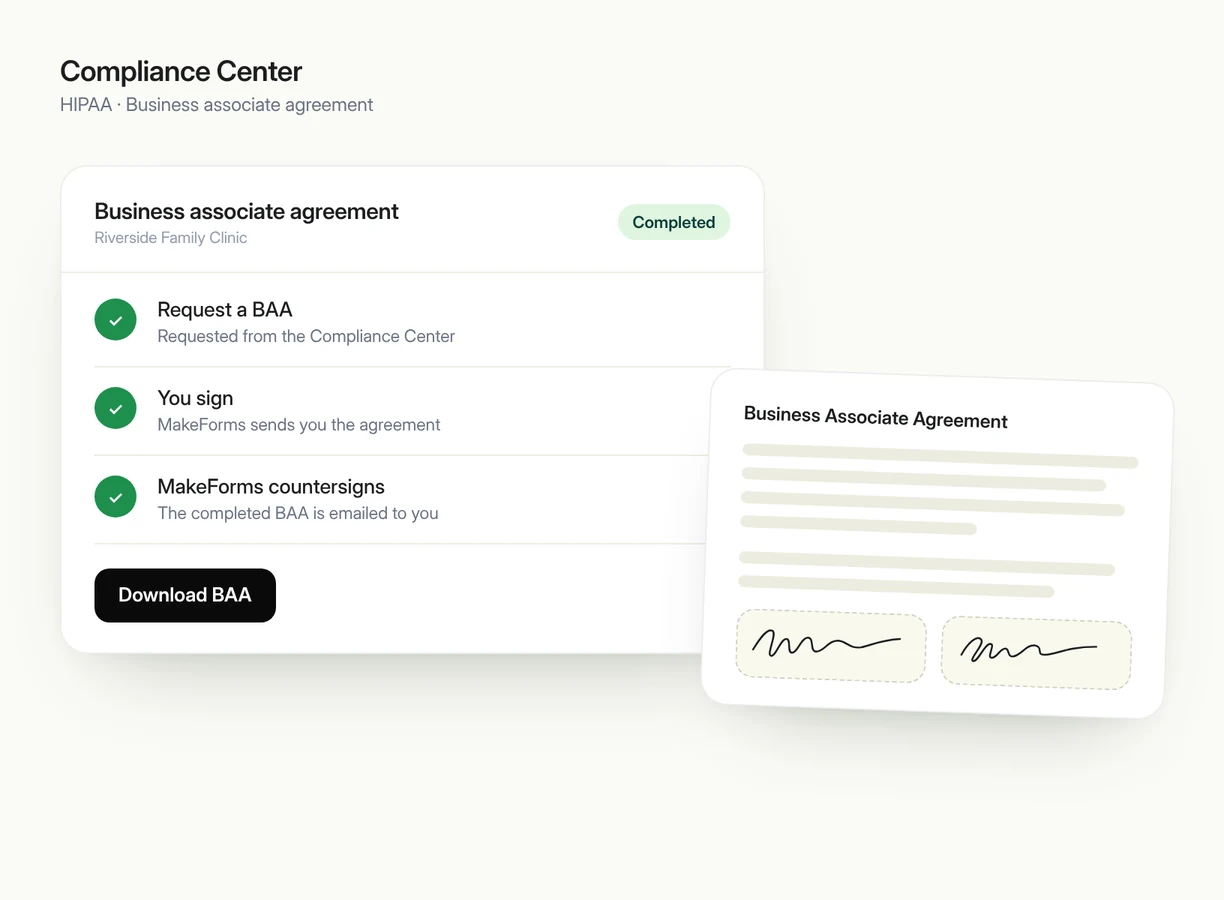
BAA signing for your WordPress compliant HIPAA forms.
Login to your MakeForms account. Open the Compliance Center, and click on request a BAA. MakeForms will send you the business associate agreement. Once you sign, MakeForms countersigns, and the completed BAA is emailed to you and stays downloadable in the Compliance Center.
Step by step: embed a MakeForms form in WordPress
Build the form in MakeForms, or describe it and let AI draft it.
Sign your BAA in the Compliance Center.
Copy the embed snippet: one short script plus the form's embed code.
Paste it into your page. Block editor (Gutenberg): a Custom HTML block. Elementor: the HTML widget. Divi, WPBakery or any other builder: wherever it accepts custom HTML.
Publish and test. Send a test submission and confirm it shows up in MakeForms, not in WordPress.
You only do this once. Changes you make to the form in MakeForms show up on your WordPress page automatically, with no code changes.

A big part of why we chose Makeforms was their Canadian data residency. And the fact that they're PHI HIPAA compliant. As healthcare providers, it was really important to us that we follow the rules and regulations that we're held to.
 KarenBusiness Manager, Midwives of Mississauga

Onboarding took under 10 minutes. I was honestly surprised by how intuitive it is. We didn’t need a long training session or a pile of documentation to get going.
 KellyDirector of Corporate Communications, Memic

We needed something simple, and that’s a big reason we chose MakeForms. Security mattered to us too. MakeForms felt more secure than the other platforms we looked at, and being able to keep our data here in Canada was a big plus for us.
 Joel OsborneOM Canada

Rated 4.9 on G2
… combines professional design, strong security, and intelligent automation in one clean platform.
… create and publish professional looking forms in minutes instead of hours.
… the support I was given along the way was awesome.
Questions about HIPAA forms on WordPress
Is WordPress HIPAA compliant?
WordPress has no HIPAA certification of its own. What matters is where patient data ends up. If form entries never touch WordPress and sit with a vendor that signs a BAA, your site can collect it safely.
Can I make my WordPress contact form HIPAA compliant?
Only if it stops saving entries in WordPress and stops emailing them in plain text. Swapping it for a MakeForms embed does both.

Start collecting patient data the safe way
Keep your website on WordPress. But your patient forms on MakeForms and stop worrying about compliance