TCPA Consent Field
The TCPA Consent Field helps you collect user consent when you or your partners plan to call or text leads. It also ensures leads are shared only with the companies the user agreed to hear from.
If your form collects a phone number and that number may be used for calls or messages, capturing consent is important. The TCPA Consent Field makes consent clear to users and helps you stay compliant while routing each lead only to approved companies.
Adding TCPA Consent Field
Open an existing form that already contains standard fields like name and phone number.
Add the TCPA Consent field and place it near the end of the form, just above the Submit button. This keeps the consent step visible and easy for users to understand before submitting.
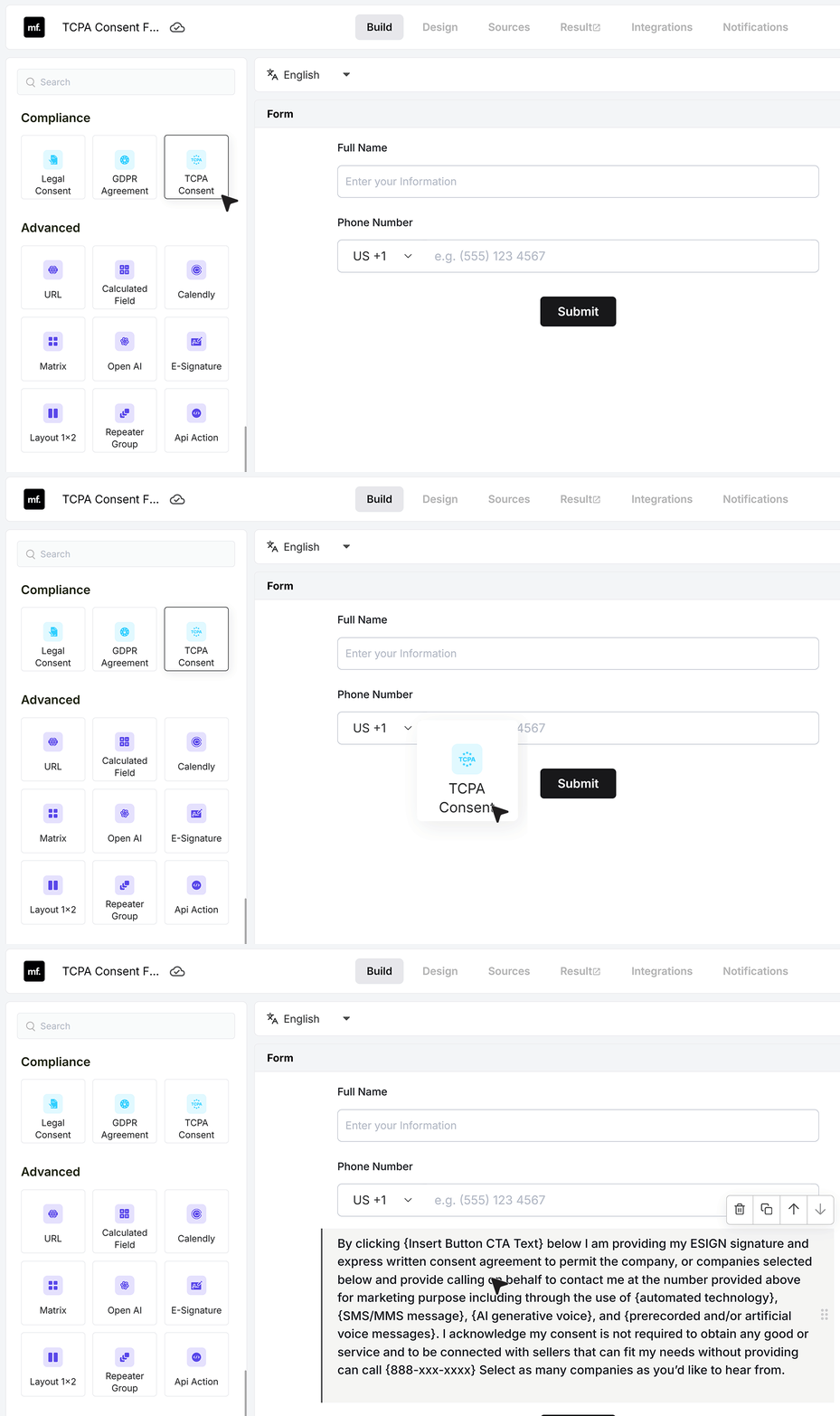
Default Consent Text
MakeForms includes a default consent text template that you can use as is. You only need to replace the bracketed values with your own details. You can customize items such as the button CTA text, contact methods, and phone number.
If you already have a custom consent statement, you can remove the default text and paste your own version instead.
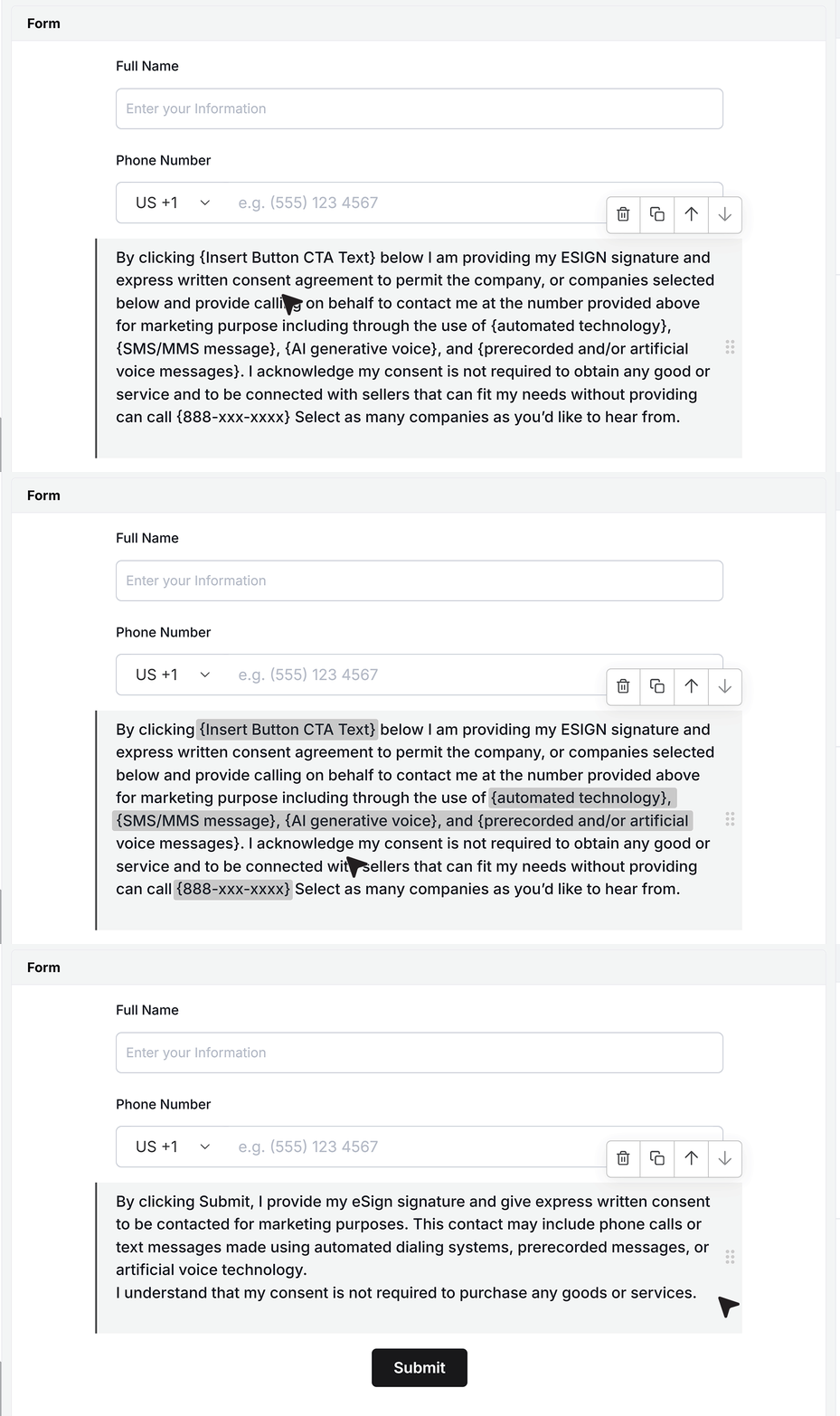
Format and style the consent text
You can format the consent text using the built-in editor. You can apply bold, change alignment, set text color, add links, insert field values, and adjust font size so the message stays clear and easy to read.
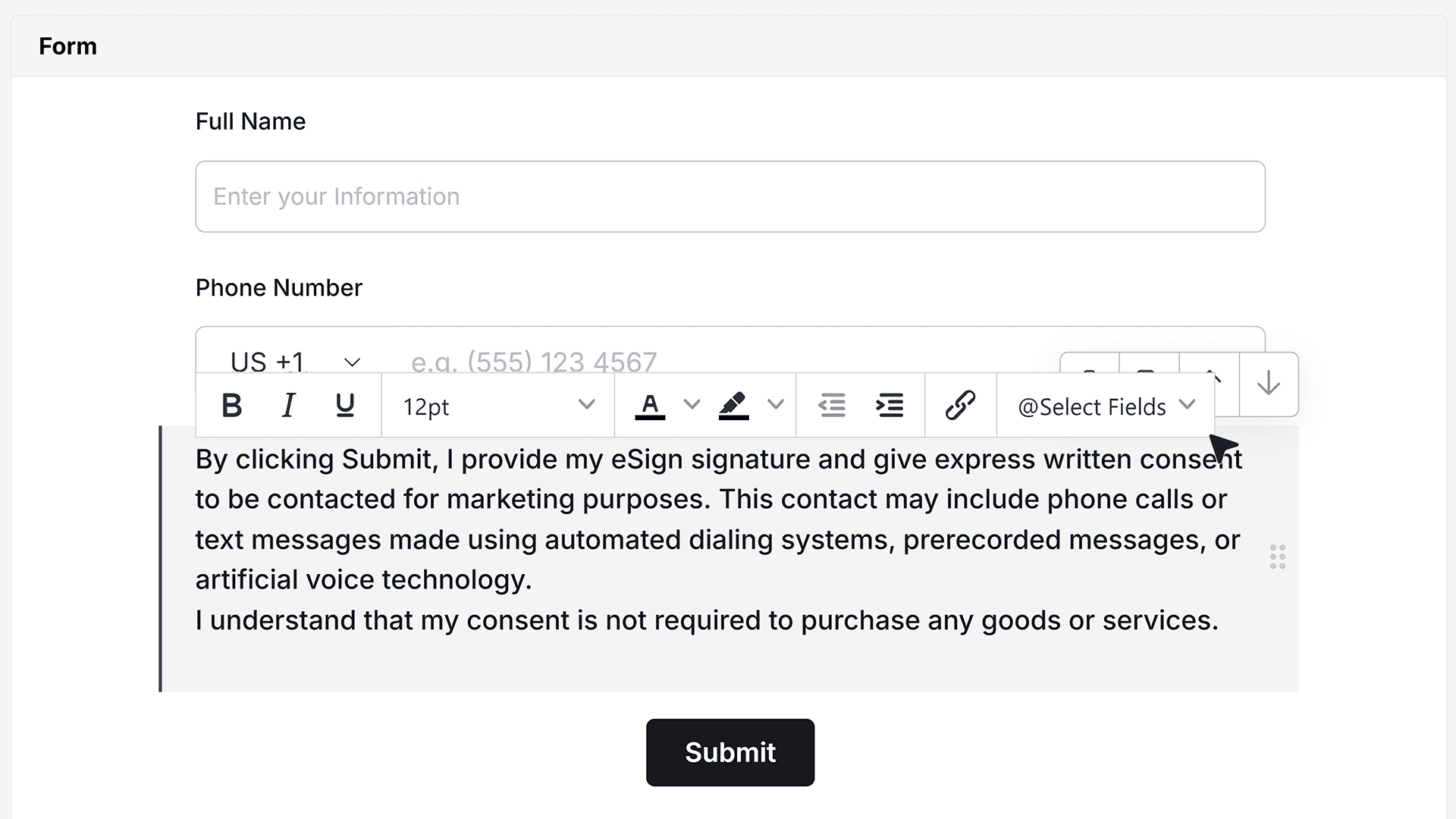
Basic Settings
Choose the Consent Type
In the Basic Settings of the TCPA Consent field, you can choose how consent is collected. There are two options TCPA Multiple Companies , TCPA Consent – Single Company.
Select the option that matches how you share leads.
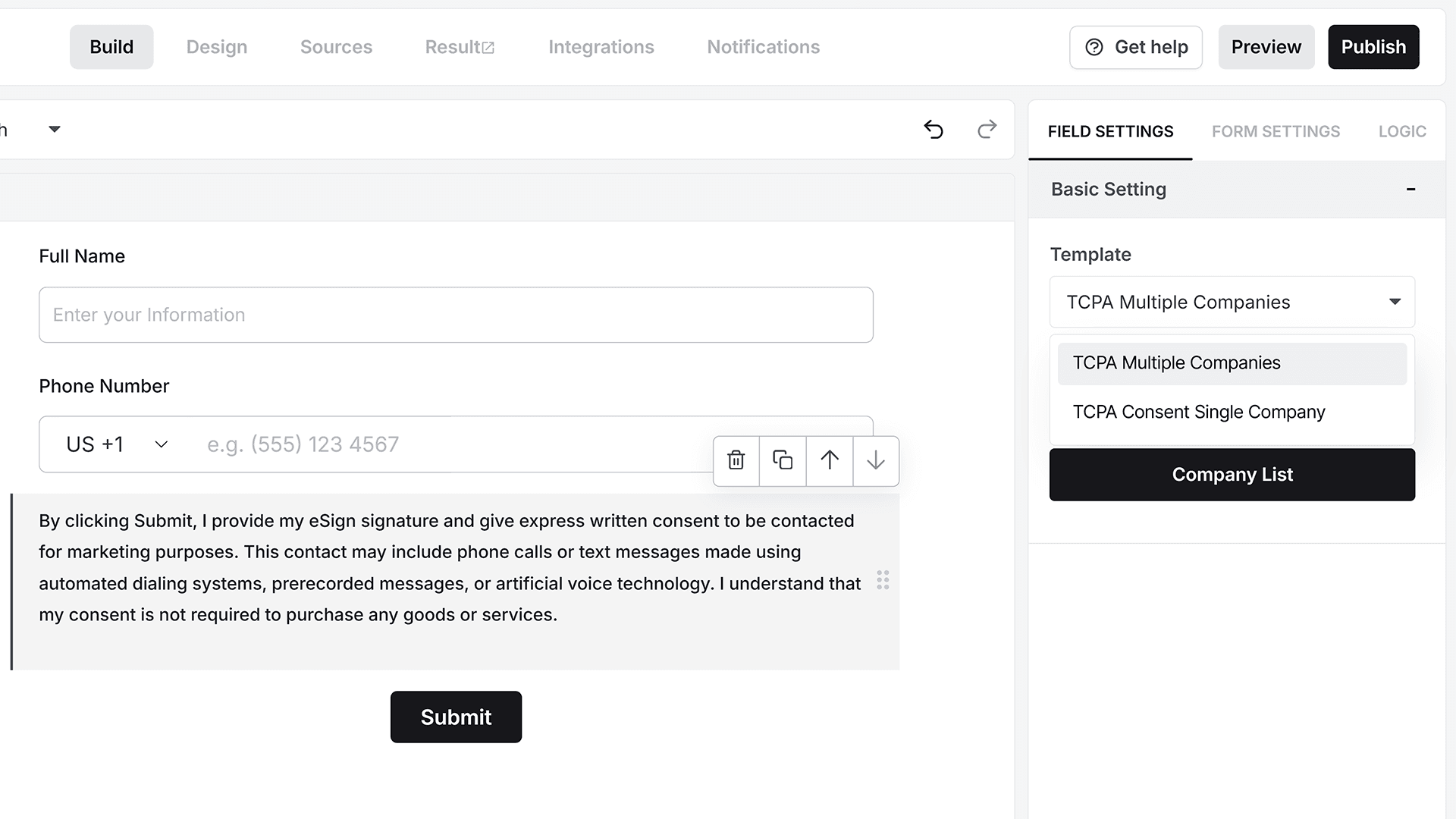
TCPA Consent for Multiple Companies
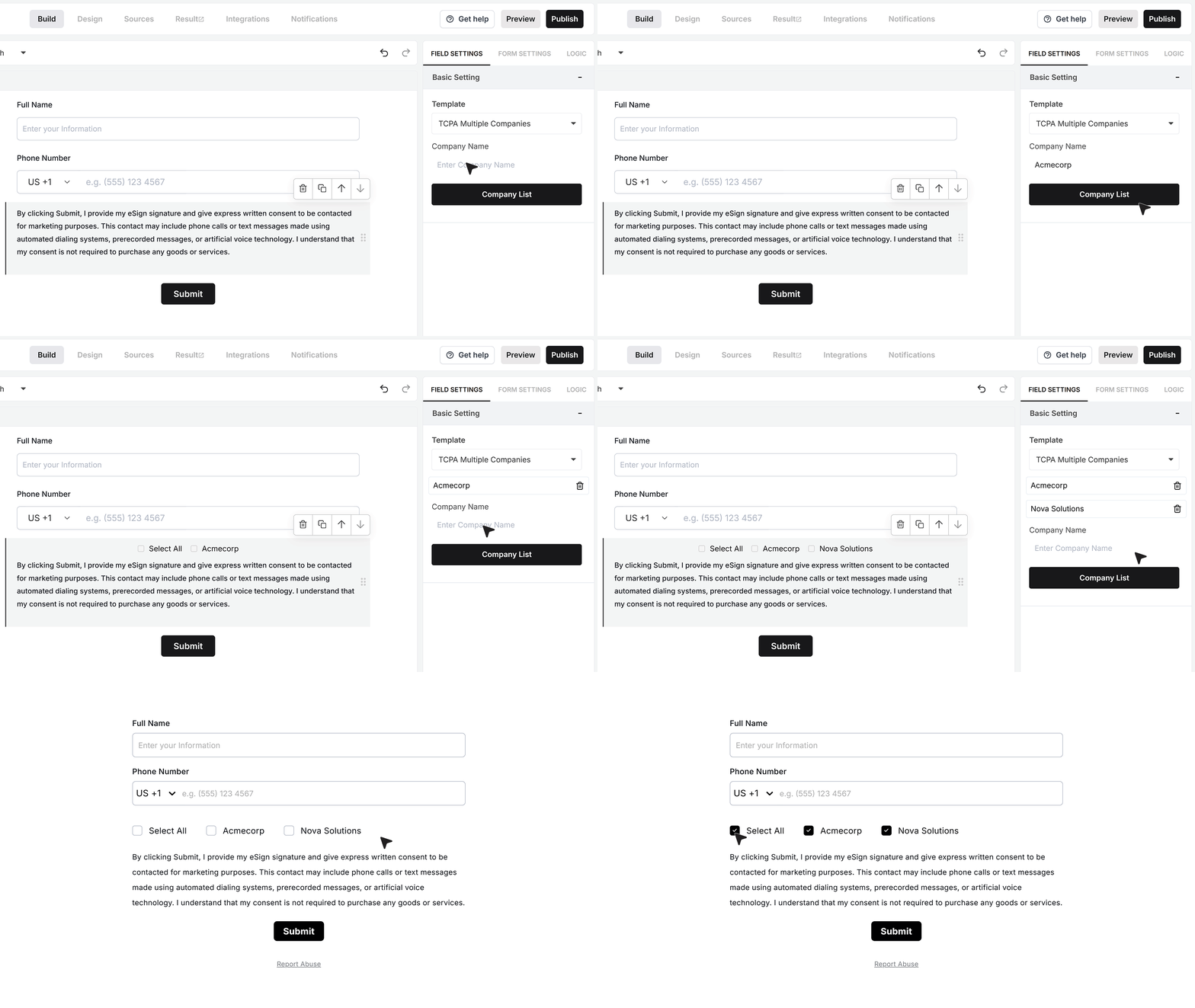
Multiple Companies is the default option and is used when leads are shared with more than one company. When this option is enabled, you will see the Company Name List setting. Add the names of all companies that may contact the user, one by one. The company names appear exactly as entered on the form, so make sure they are clear and accurate.
The form shows a Select All option along with a list of company checkboxes. Users can either select all companies at once or choose only the specific companies they want to hear from. This gives users full control over who can contact them.
TCPA Consent for a Single Company
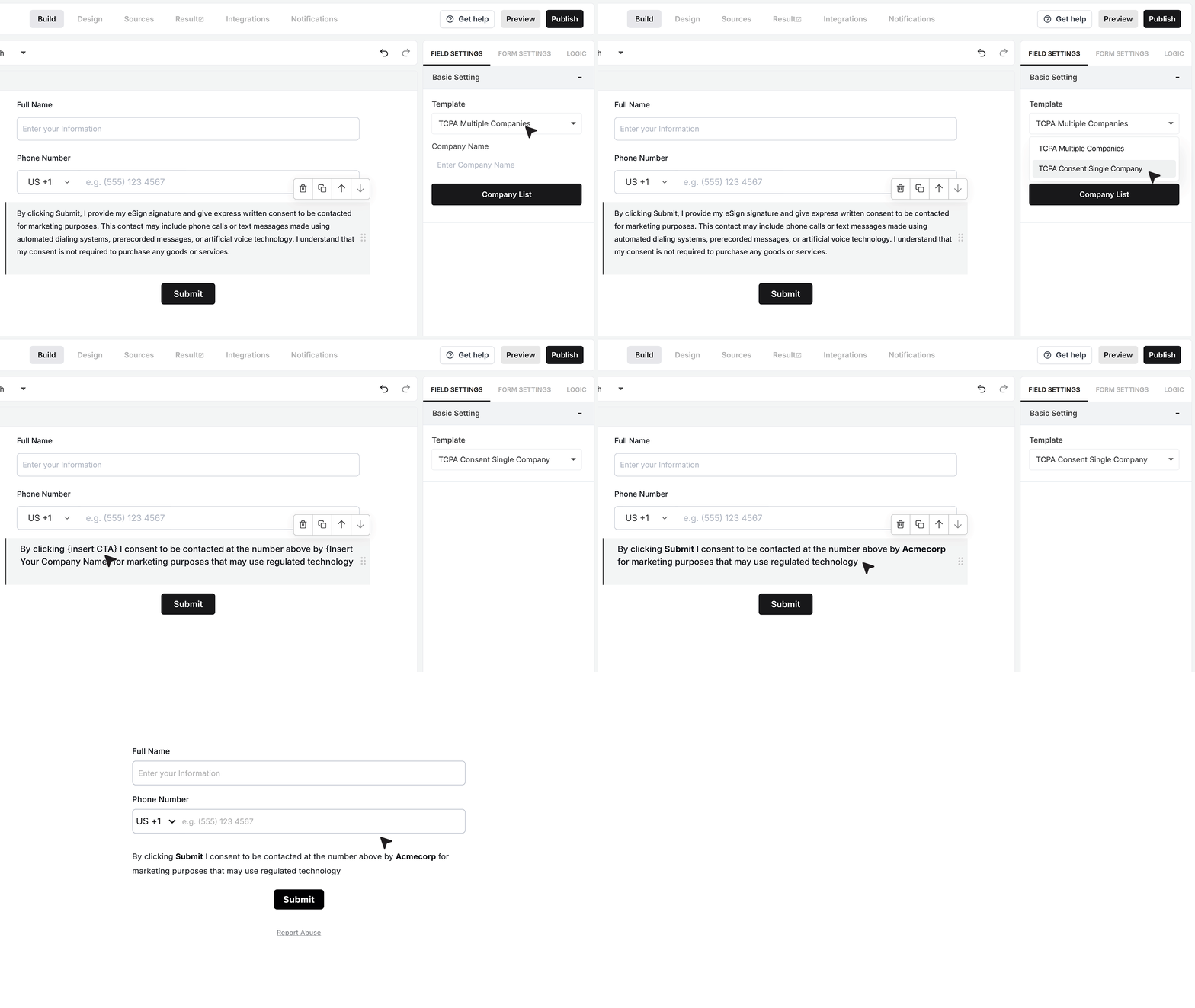
The second option is Single Company. Use Single Company when only your business will contact the user. The consent text is still fully editable. You can update the default wording to match your contact methods or replace it entirely with your own consent copy.
The form displays a single consent statement, and the user provides consent by submitting the form.
FAQ's
A TCPA consent field is a section in your form where users agree to receive calls or text messages. It helps you collect clear permission before contacting leads. This is important if you collect phone numbers and plan to call or send messages.
TCPA consent helps you stay compliant with communication rules. It ensures users know who will contact them and how. Without proper consent, calling or texting leads can create legal risks.
You should add it whenever your form collects a phone number and you plan to call or text the user. It is best placed near the submit button so users can review it before submitting.
Single company consent is used when only your business will contact the user.
Multiple company consent is used when leads may be shared with other companies. Users can choose which companies they allow to contact them.
In multiple company mode, you add a list of companies. The form shows checkboxes for each one. Users can select all or choose specific companies. This gives users full control over who can contact them.
Yes. You can edit the default consent text or replace it with your own. You can update company names, contact methods, and links. This helps match your legal and branding needs.
Your consent text should clearly mention:
- That the user agrees to receive calls or messages
- Who will contact them
- The type of communication, like calls or SMS
- That consent is not required to make a purchase
Keep the message simple and easy to read.
It should be placed at the end of the form, just above the submit button. This ensures users see it clearly before they submit their details.
Yes, in multiple company mode. Users can select specific companies instead of giving blanket consent. This improves trust and gives users better control.
Yes, if you plan to send SMS messages, you must collect clear consent. The TCPA consent field helps you do this in a proper way.
Yes. When users clearly agree to be contacted, they are more likely to respond. This leads to better engagement and fewer complaints.
Yes. You can change font size, color, alignment, and add links. You can also highlight key parts to make the consent easy to read.
If you contact users without consent, it can lead to complaints or legal issues. It can also damage trust with your users.
Yes. You can remove the default text and add your own. Make sure your wording clearly explains consent and follows your legal needs.
Yes. MakeForms gives you a ready template. You only need to update your details like company name or contact method.